


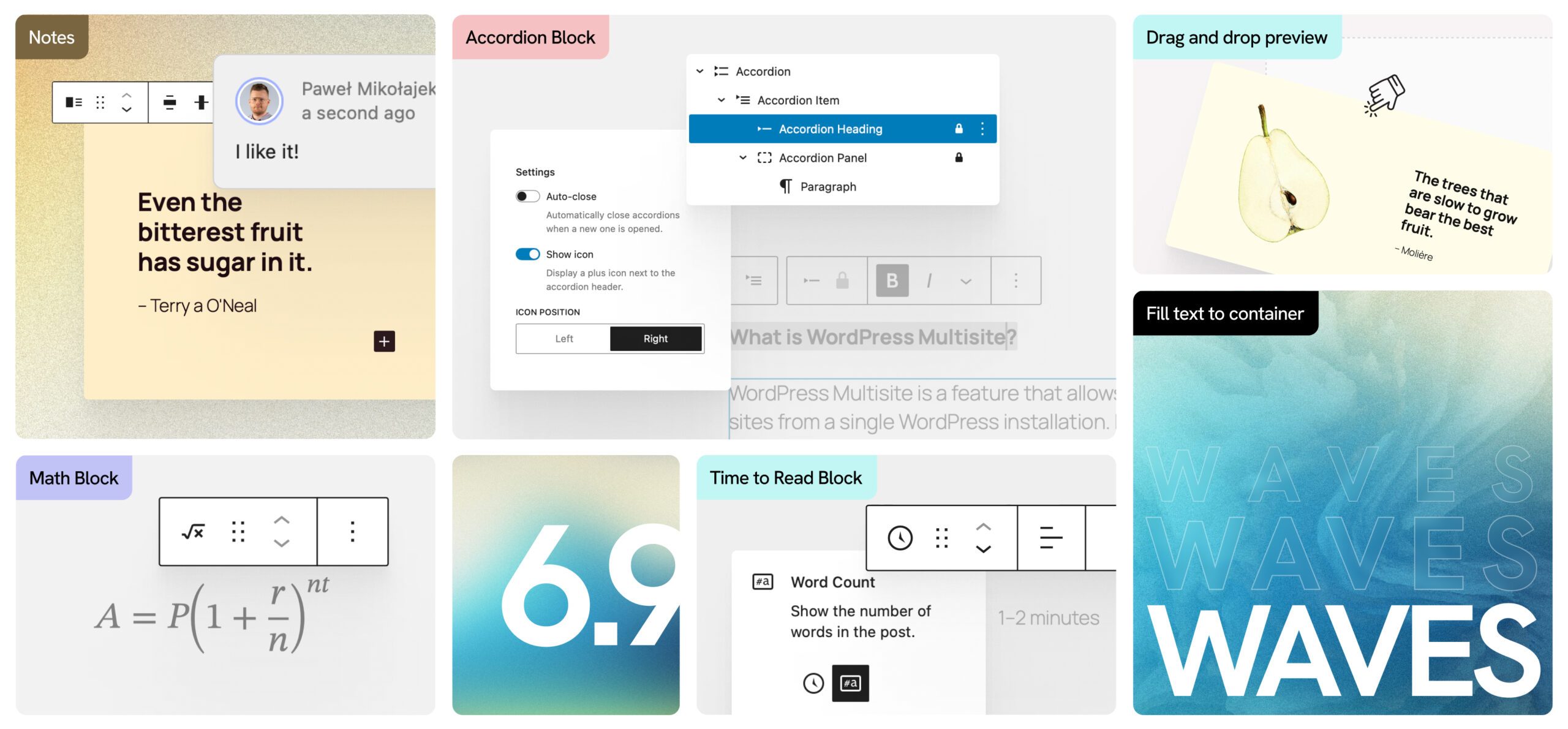
WordPress 6.9 arrives on December 2, 2025, and it’s not just another incremental update. This release marks the beginning of Phase 3 of Gutenberg—the collaboration phase—and introduces features that fundamentally reshape how teams work together in WordPress. At the heart of this release is Notes, a feature we’re particularly proud to see land, given that Human Made sponsors Adam Silverstein, the WordPress core committer who has been instrumental in bringing collaborative editing to the platform.
For enterprise teams managing complex content workflows, this is the release we’ve been waiting for.
Block-Level Notes: Real-Time Collaboration Comes to WordPress
The headline feature of WordPress 6.9 is Notes—a block-level commenting system that brings asynchronous collaboration directly into the content editor. Teams can now leave threaded comments attached to specific blocks, resolve discussions, and reopen them as needed. Post authors receive email notifications when notes are added, keeping everyone in the loop without leaving WordPress.
This isn’t just a convenience feature. For organisations with editorial review processes, compliance requirements, or distributed content teams, Notes eliminates the friction of switching between WordPress and external collaboration tools. The feedback lives where the content lives.
Notes are enabled by default for Posts and Pages, and developers can extend this to custom post types through the register_post_type function—a straightforward integration for enterprise implementations.
The Abilities API: Building for an AI-Ready Future
Perhaps the most forward-looking addition in 6.9 is the Abilities API, a foundational system that standardises how plugins, themes, and WordPress core register and expose their capabilities. This creates a unified, machine-readable registry of functionalities accessible through PHP, REST API endpoints, and—crucially—AI integrations.
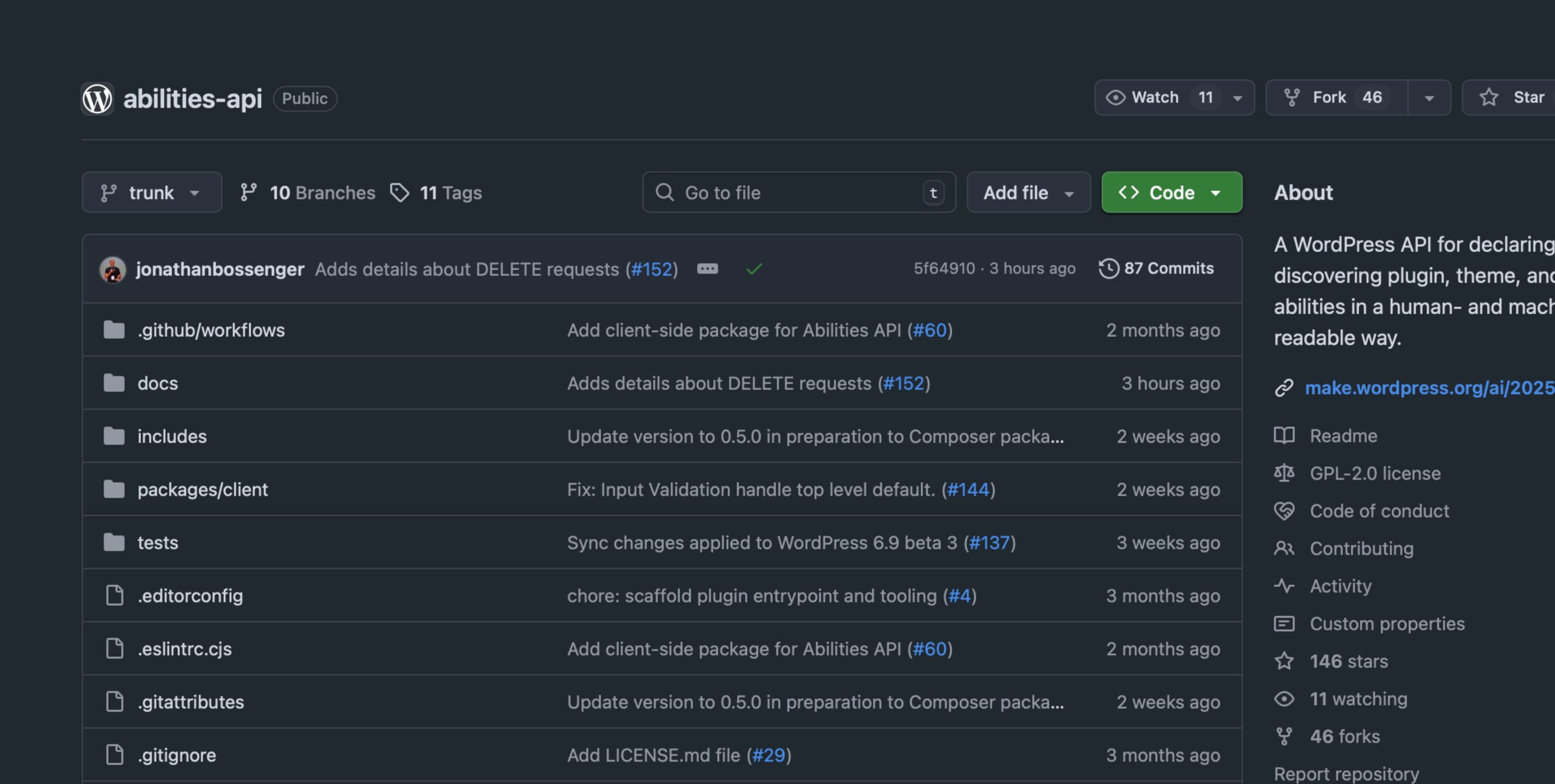
For enterprise teams, this signals WordPress’s commitment to remaining relevant as AI transforms content operations. The Abilities API provides the infrastructure for secure automation and intelligent content workflows, positioning WordPress as a platform that can evolve alongside emerging technologies.
Six New Blocks That Address Real Needs
WordPress 6.9 introduces six new blocks, each solving genuine content challenges:
Accordion Block finally arrives in core after years of community requests. The nested structure—comprising Accordion, Accordion Item, Accordion Heading, and Accordion Panel blocks—provides flexible FAQ and content organisation options with minimal default styling, leaving room for brand customisation.
Term Query Block transforms how sites handle categories and tags. Similar to how the Query block manages posts, Term Query provides built-in taxonomy display and organisation—particularly valuable for directory sites, publications, and content-heavy platforms.
Time to Read Block includes accessibility-reviewed reading time estimates with options for time ranges and word counts. A small addition, but one that reflects WordPress’s maturing approach to inclusive design.
Math Block enables LaTeX syntax for mathematical formulas, opening WordPress to academic, scientific, and technical publishing use cases that previously required plugins.
Comment Count and Comment Link Blocks give theme builders granular control over comment functionality, supporting more intentional approaches to community engagement.
Editor Improvements That Matter
Beyond the headline features, 6.9 delivers substantive editor refinements:
Visual Drag and Drop now provides live feedback as you reposition blocks, showing exactly where elements will land before you release. Currently limited to single blocks, with multi-block support planned for WordPress 7.0.
Allowed Blocks UI moves block restriction management from code to interface. Agencies and site administrators can now enforce block rules in patterns and templates without touching markup—a meaningful step toward no-code site governance.
Hide and Show Blocks enables visibility toggling while preserving block structure. Seasonal content, conditional elements, and A/B testing scenarios become simpler to manage.
Command Palette Everywhere extends the Ctrl+K / Cmd+K quick-access tool beyond the Site Editor to every admin screen, streamlining navigation across the entire WordPress dashboard.
Performance and Developer Experience
WordPress 6.9 continues the platform’s performance trajectory with optimised script loading, on-demand block-style loading, and improved cron execution. The new Block Processor class enables efficient, streaming block manipulation that should prevent out-of-memory issues in complex document processing scenarios.
For developers, updates to the Block Bindings API, DataViews components, and Interactivity API provide more sophisticated tools for building custom solutions. The iframe transition for the post editor—completing in WordPress 7.0—resolves long-standing style conflicts between admin interface and content preview.
What This Means for Enterprise WordPress
WordPress 6.9 represents a maturation of the platform’s enterprise capabilities. The Notes feature addresses a genuine gap in content collaboration. The Abilities API demonstrates strategic thinking about WordPress’s role in an AI-augmented future. The continued investment in performance and developer tooling reinforces WordPress’s viability for complex, high-traffic implementations.
At Human Made, we see this release as validation of WordPress’s trajectory toward genuine enterprise readiness—not through bolted-on features, but through thoughtful platform evolution that respects the open-source ecosystem while meeting organisational needs.
The collaboration era of WordPress has begun. The question now is how organisations will adapt their content workflows to take advantage of it.
WordPress 6.9 releases on December 2, 2025
For implementation guidance or to discuss how these features align with your digital strategy, get in touch with our team.