


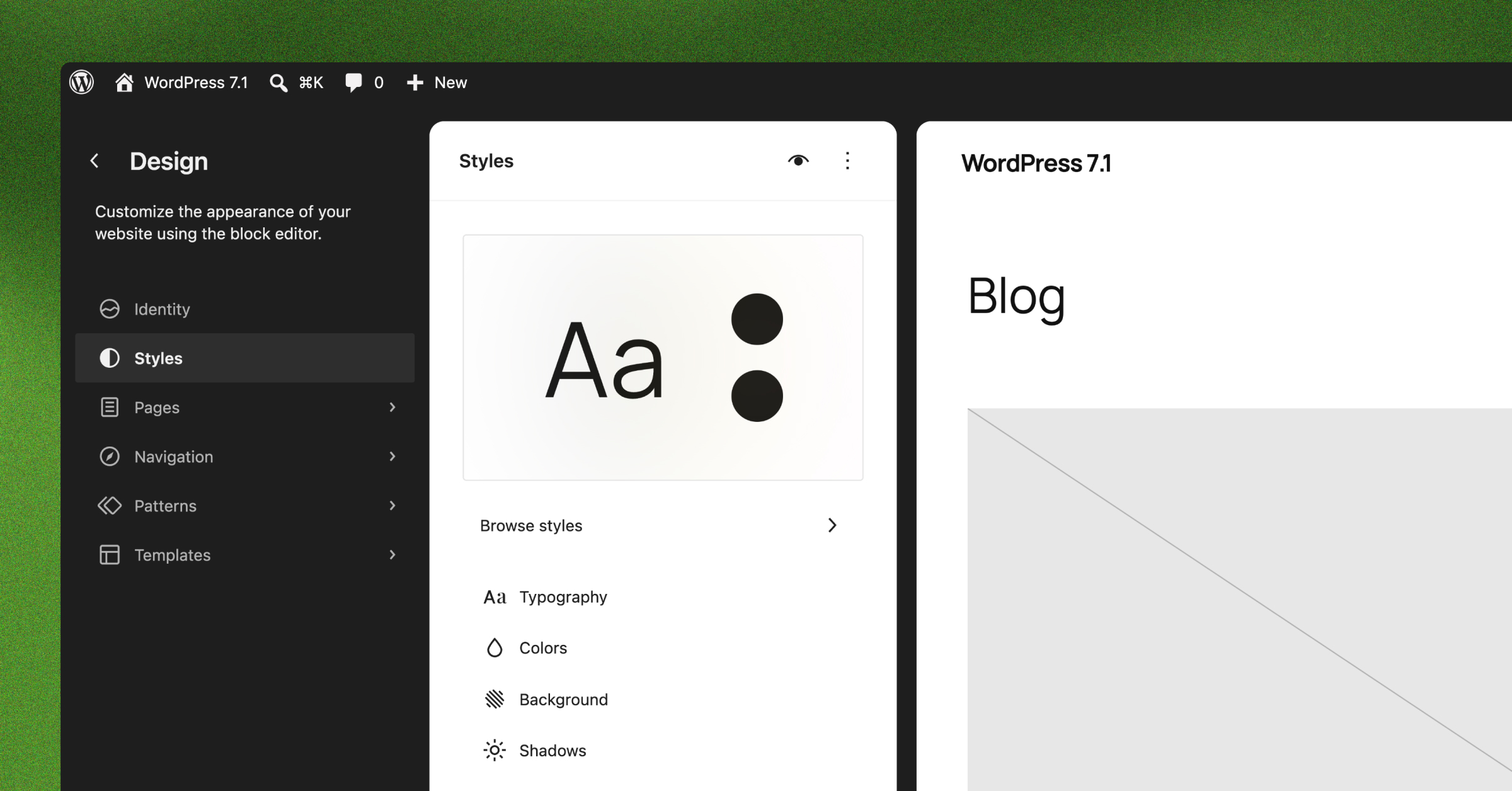
For most of WordPress’s history, a theme was something developers changed and editors worked around. Templates lived in PHP files. As a result, a new layout, a tweak to the header or a different type scale meant a ticket, a branch and a deployment, and the queue for those changes grew with every team that published to the site. A WordPress block theme, the product of the full site editing (FSE) project, changes that arrangement.
Block themes move most of those decisions somewhere both groups can reach. Since the Site Editor arrived in WordPress 5.9 in January 2022, teams can build every part of a site from blocks, including the header, navigation and footer. Developers define colours, typography and spacing once, in a single file, and WordPress applies them everywhere. The development team still decides what is possible, while editors work within those limits without waiting for a release.
For an organisation with several publishing teams, regional sites or a brand team that needs consistency, the bigger change is where the design rules live. Because they sit in the theme rather than in individual pages, a page put together by someone who joined last week follows the same rules as one the designer built.
This guide explains how a block theme is put together, what each part is responsible for, and where projects tend to go wrong. The final section covers how we apply the same approach to enterprise platforms at Human Made.
What a block theme is, and where “FSE” fits
A block theme is a WordPress theme in which every template is made of blocks, the same units editors already use for paragraphs and images. WordPress’s documentation describes it as a theme that uses blocks for all parts of a site, with styles that apply across the whole site.
“Full site editing” was the name of the project that introduced this. WordPress now talks about block themes and the Site Editor, though “FSE theme” still turns up in agency briefs and forum threads. In other words, all three describe the same thing.
The practical difference from a classic theme comes down to who can change what, and how.
| Classic theme | Block theme | |
|---|---|---|
| Templates | PHP files | HTML files made of blocks |
| Design settings | The Customizer and hard-coded CSS | One theme.json file, plus Global Styles in the editor |
| Header and footer | PHP includes | Template parts, editable in the Site Editor |
| Who can change a layout | Developers | Developers, and editors within limits the theme sets |
| Menus | The Menus screen | The Navigation block |
| Reusable layouts | Custom code or a page builder | Block patterns and synced patterns |
Classic themes still work, and WordPress still supports them. Plenty of enterprise sites run on them, so moving to a block theme is a project in its own right rather than a theme swap. The case for moving is strongest when page layouts change often, or when several teams publish to the same platform.
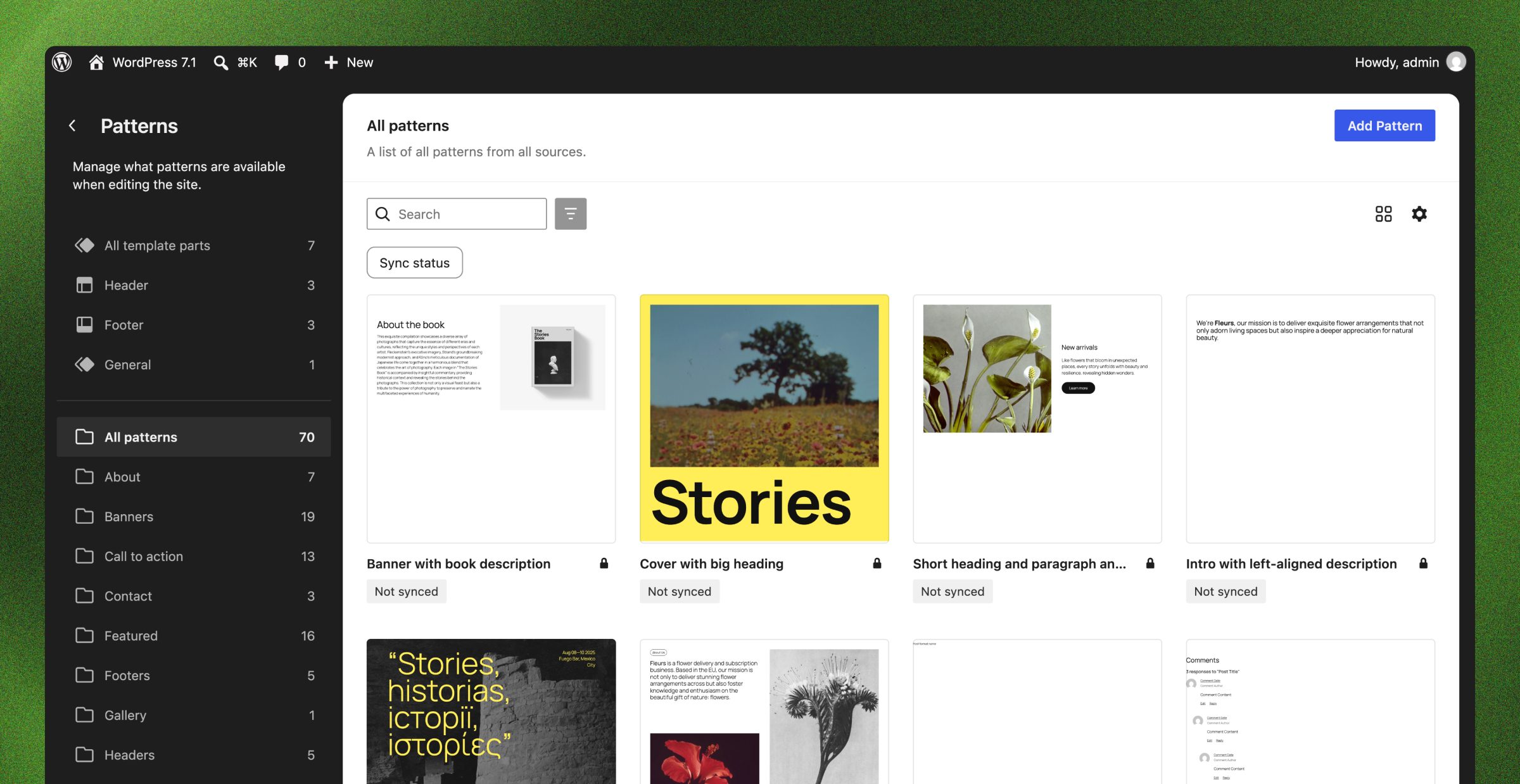
The parts of a block theme, and who owns each one
A block theme needs only two files to run: a stylesheet that identifies the theme, and one template WordPress falls back to for every page. However, a production theme has more, and each part answers a different question about the site.
| Part | What it controls | Who usually changes it |
|---|---|---|
| style.css | The theme’s name, version and minimum WordPress version | Developers |
| theme.json | Colours, type, spacing, layout widths, and which design controls editors see | Developers, from the design system |
| Templates | The layout for each kind of page: posts, pages, archives, search results, 404s | Developers set the defaults; admins can adjust them in the Site Editor |
| Template parts | Shared sections such as the header, footer and navigation | Developers build them once; the content team edits menu links |
| Patterns | Ready-made sections editors insert and fill, such as a hero or a feature grid | Developers build them; editors use them every day |
| Style variations | Alternative looks for the whole theme, such as a dark mode or a sub-brand | Developers build them; admins choose between them |
In short, the last column shows the point of the whole structure. Decisions that affect every page sit with the people responsible for the platform, and decisions about individual pages sit with the people writing them.
theme.json: where the design decisions live
theme.json holds two kinds of information. Settings define the options editors can choose from: the colour palette, font sizes, spacing values and the widths content can sit at. Styles, on the other hand, define how the site looks before anyone touches it, from the body text colour to the corner radius on every button. The current version of the format, version 3, needs WordPress 6.6 or later.
Each setting becomes a preset, and WordPress turns every preset into a CSS custom property. Templates, patterns and blocks all refer to those presets rather than to fixed values. As a result, changing the primary colour in theme.json changes it in every template, every pattern and every page that uses it, without anyone opening those files.
The same file also limits what editors can do. A theme can switch off custom colours so only the brand palette appears, hide WordPress’s default font sizes, or remove design controls from specific blocks. For a regulated organisation, or one with a strict brand, this is where the organisation enforces governance. A rule set in theme.json applies to every editor on every page, with no reliance on training or memory.
Name presets by their role
How you name presets matters more than it first appears. A palette with colours called Dark Blue and Coral works until the brand changes. At that point, either the names stop matching the colours or someone has to rename every reference across the site.
Instead, name each colour by its role, such as Primary, Secondary, Base and Contrast. A palette like that survives a rebrand, because when the values change, the names still describe what each colour does. The same thinking also applies to type sizes (Small, Medium and Large rather than pixel values) and to font families (Body and Heading rather than the typeface names).
Fonts
theme.json can also register fonts bundled with the theme. Serving fonts from the site’s own domain removes the connection to a third-party font service, which saves a request on every page and keeps visitors’ IP addresses away from that service. For organisations working under GDPR, the second point is often the deciding one.
Templates and template parts: structure shared across the site
Templates set the layout for each kind of page. Block themes follow the same template hierarchy as classic themes, so WordPress looks for the most specific template available (a single post template for a blog post, say) and falls back to the general index template if none exists. Because each template is a file of blocks rather than PHP, admins can also open and adjust it in the Site Editor.
Custom templates also extend this. A theme can offer a full-width landing page or a campaign layout, and editors pick it from the page settings when they create a page.
Template parts hold the sections that templates share: the header, footer, navigation and anything else that repeats. Each one exists only once, so an edit to the footer appears on every template that includes it. On a site with thousands of pages, a change that would once have meant updating hard-coded markup in several files becomes a single edit.
Patterns: the parts editors build pages from
A pattern is a ready-made arrangement of blocks that an editor inserts as one piece and fills with their own content. A hero with a headline, an introduction and a button is a pattern. So is a three-column feature grid, a case study card or a contact section. Patterns live in the theme as files, so they go through version control and deployment with the rest of the code.
In fact, on most enterprise sites, patterns now do the job page builders used to. Developers build every pattern from core WordPress blocks, and theme.json styles it, so it matches the brand wherever it lands and updates when the brand does.
Content-only editing
Developers can also lock a pattern so editors can change its words, images and links but can’t move, delete or restyle the blocks inside it. WordPress calls this content-only editing. As a result, editors see only the places where content goes, which removes the most common way pages drift from the design: someone adjusting a layout to fit a longer headline.
Synced patterns
You edit a synced pattern in one place, and it updates everywhere it appears. It suits anything that must stay identical across the site, for example a breadcrumb bar, a legal disclaimer or a standard call to action. WordPress stores synced patterns as content rather than in the theme, so teams create and manage them in the Site Editor.
How many patterns?
Fewer than most teams expect. After all, each pattern is something editors have to find, understand and choose between, and each one adds markup and CSS the platform has to maintain. A small set, grouped into a handful of families, is quicker to learn, quicker to load and easier to keep consistent than a library of near-duplicates.
Style variations, and what a rebrand looks like
A style variation is an alternative set of theme.json values bundled with the theme, such as a dark mode, a high-contrast version or a sub-brand for one division. Admins switch between them in the Styles panel of the Site Editor.
However, variations only work cleanly when the presets have role-based names. If the default Base colour is white and Contrast is near-black, a dark variation reverses the two values and every template and pattern follows, because none of them refers to a specific colour.
Similarly, a rebrand takes the same route. New colours, typefaces and spacing values go into theme.json, and the site changes with them. Some patterns may still need rework if the new brand changes layouts as well as styles, although most of the visual change happens in one file.
The Site Editor and version control
The Site Editor lets authorised users change templates, template parts and global styles from the WordPress dashboard. WordPress saves those changes to the database, and from then on the database version overrides the theme file for that item.
For a small site run by one person, that is convenient. However, an enterprise platform with a development team, staging environments and a release process runs into a problem: the code in version control no longer matches what visitors see, and changes made in production never reach staging or the other sites on the platform.
Teams usually handle this in one of three ways:
- Restrict the Site Editor to a small group of admins through user roles, and treat the theme files as the source of truth.
- Use the Create Block Theme plugin, or a similar export step, to write approved Site Editor changes back into the theme and commit them.
- Remove template editing for most users on multisite or multi-brand platforms, and route structural changes through the development team.
Whichever approach a team picks, it needs agreeing before launch. Otherwise, untangling drift afterwards means comparing every customised template against its file, one at a time.
Where block theme projects go wrong
Most of the problems we see on block theme projects trace back to decisions made in the first few weeks.
- Designing pages before parts. When designers treat every page as a one-off, the build ends up with dozens of near-identical patterns, each with its own CSS. Designing the parts first and proving them on a small number of reference pages keeps the set lean.
- Naming presets after how they look. The cost doesn’t show at launch. Instead, it shows at the first rebrand, when Dark Blue has to become green.
- Building too many patterns. A library of 80 patterns sounds generous. In practice editors settle on a handful, and the rest go stale without anyone noticing.
- No agreed rule for the Site Editor. Without one, the database and the code drift apart within weeks of launch.
- Upgrading theme.json without checking presets. Version 3 changed how WordPress’s default font and spacing sizes interact with a theme’s own presets, so anyone upgrading a theme from version 2 should check it in the editor before release.
- Bringing editors in at launch. Editors who first meet the system on go-live day build pages around it. By contrast, involving them during the build surfaces the gaps while there is still time to close them.
How Human Made builds block themes for enterprise clients
We build enterprise WordPress platforms on block themes, and the structure described above shapes how a project runs from the first workshop. The aim is a platform the client’s team creates pages with, so a new product, campaign or service doesn’t have to wait for a designer and a developer to catch the site up. We took the same approach for our own website redesign.
Four layers
Our design guide starts from one idea: we are building a system for making web pages. That system has four layers. Human Made designs and builds the first three, while the client’s team works in the fourth.
| Layer | What it holds | Where it lives in WordPress | Owned by |
|---|---|---|---|
| Foundations | Type, colour, spacing, borders, shadows and accessibility rules | theme.json and Global Styles | Human Made |
| Blocks | Openers, text with media, feature grids, quotes and logos, self-filling listings, forms | Patterns built from core blocks | Human Made |
| Templates | Starting layouts for service pages, hubs, landing pages, articles and archives | Templates and template parts | Human Made |
| Pages | The client’s content, with blocks added, swapped or reordered | The block editor | The client’s team |
We design accessibility into the foundations, so every block and template inherits it. Anything the client’s team builds in the fourth layer stays inside the brand and the performance budget, because the three layers beneath it hold.
Design the parts, then prove them
First, we agree the block set and the templates. We then design a set of the client’s pages in full, in situ. On a smaller build that means the home page and the critical pages; on a larger one, every unique layout on the site.
Those designed pages become reference pages. At the design gate, the client signs off three things: the reference pages, a block glossary showing every block in every state, and a page inventory that maps each remaining page to a template and a set of blocks. Build starts once the client approves them.
Build in sprints, with the client publishing from the start
The build runs in two-week sprints. Early sprints deliver the foundations, navigation, footer and core blocks. Later ones deliver the templates and the reference pages. Then, after each sprint review, the client’s page builders create real pages with whatever has shipped.
By the final sprint, the client’s team has already published a large part of the site, and its editors have spent weeks working in the CMS they will run after launch. Meanwhile, anything the kit can’t express comes back to the next review, where we decide together whether to adapt the content, add a block to the set, or build the exception by hand.
What creating a page looks like
Take a new service page, a few sprints into a build. One person on the client’s team has the content in a document and the reference page open in another tab.
First, they create a page from the service template. It opens with a hero, an introduction, a feature strip, a numbered process, a row of project cards, an FAQ and a contact form, already in the brand, with placeholders where the words go. Next, they drop their content in. Two full case studies tell this particular service’s story better than a row of cards, so they swap the project cards for the case study block, which arrives styled and spaced by the same foundations. Finally, they check the page against its reference page and publish. The header, footer and contact form are shared parts, so they were never in question.
The page took one person an afternoon, and no brief.
Building on block themes
A block theme puts a site’s design rules in one place and gives editors a defined set of parts to build with. As a result, for organisations whose sites need to change as often as the business does, it shortens the distance between deciding to publish something and publishing it. A rebrand, a new service or a campaign landing page becomes work the content team can do, with the platform keeping it on brand.
If you’re weighing up a move to a block theme, or want to know what one would mean for your platform, tell us about your project.
FAQ: WordPress Block Themes and Full Site Editing
There isn’t one. “Full site editing” was the name of the WordPress project that introduced block themes, and “FSE theme” is the older term. WordPress’s own documentation now uses “block theme”.
The templates need rebuilding, but the content stays where it is, because WordPress stores posts and pages separately from the theme. Some organisations also move in stages: classic themes can use theme.json too, so teams can consolidate design settings first and convert the templates later.
Only as far as the theme allows. theme.json can restrict colours, sizes and design controls, developers can lock patterns to content-only editing, and user roles decide who can open the Site Editor at all.
theme.json is the configuration file at the root of a block theme. It defines the design options available to editors and the default styles for the whole site, and WordPress turns its values into CSS custom properties that every template and pattern uses.
Yes, provided the organisation agrees its governance up front. Style variations handle sub-brands, shared patterns keep sites consistent, and a clear rule for who can change templates stops individual sites drifting from the platform.
As few as the site’s content needs. In practice, developers can build most enterprise sites from a small set grouped into a handful of families. A smaller set is also quicker for editors to learn and cheaper to maintain.